How do I turn off access to Jungle Town for multiple students?
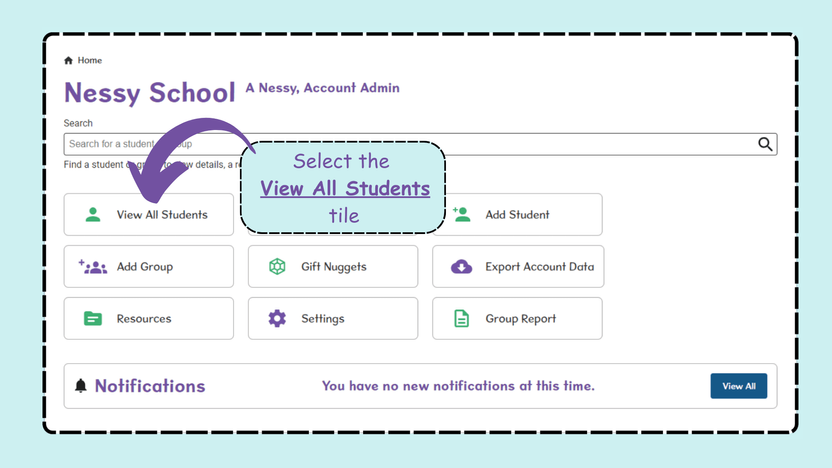
- From the Home screen, select View All Students.
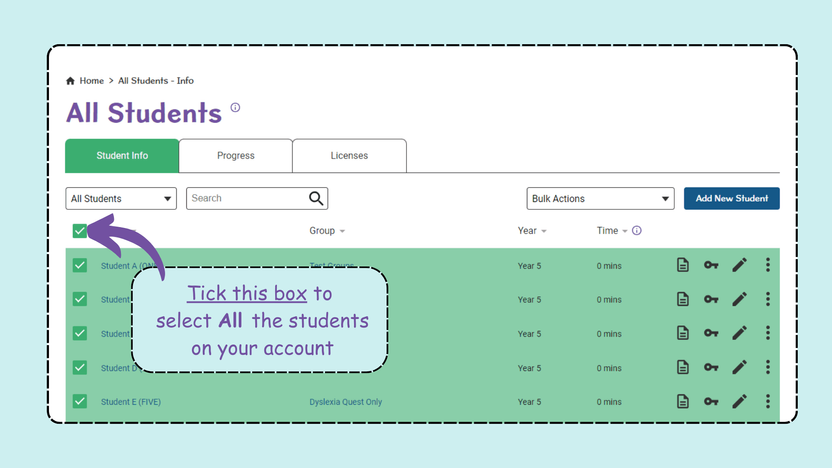
- To remove access for all students, tick the box next to ‘Name’ in the top left. This will highlight all students.
- From the Bulk Actions drop-down menu, select Disable Jungle Town.
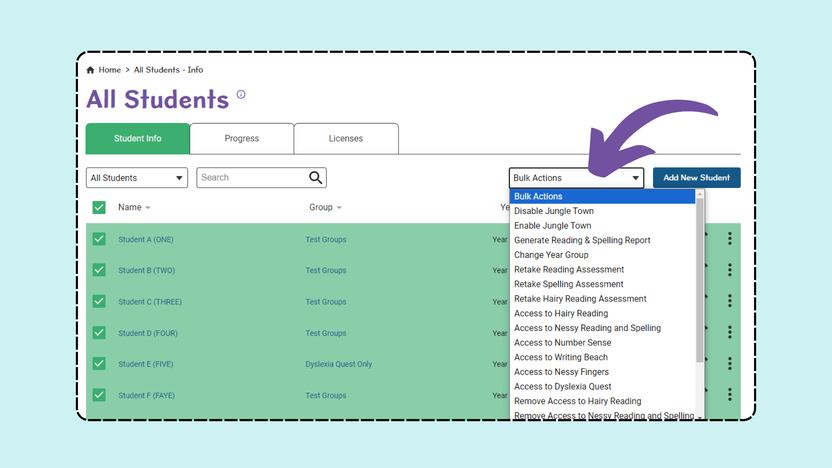
Note: If you only need a few students access removed, tick the box next to their names, then select Disable Jungle town from the bulk action list.