How do I create a group?u003cbru003e
Au003cstrongu003e Groupu003c/strongu003e must be made to help categorise students for effective monitoring. Every student must be part of a Group.
- From the Home page, select Add Group.
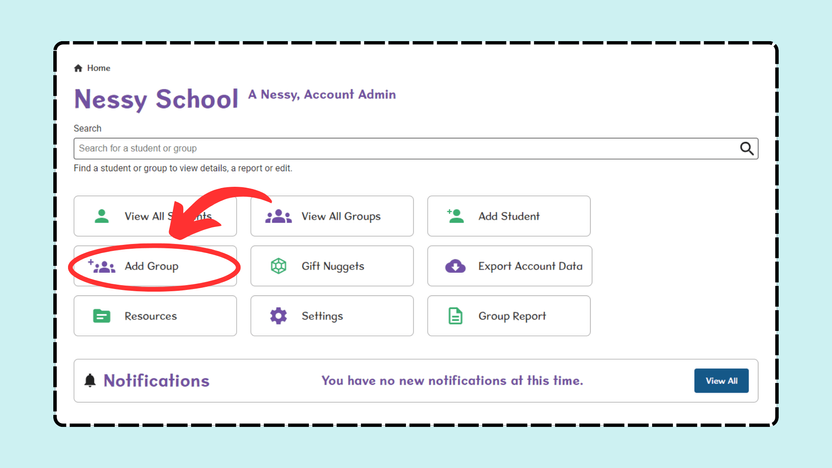
- Enter the Group Name that you’d like this group of students to be called.
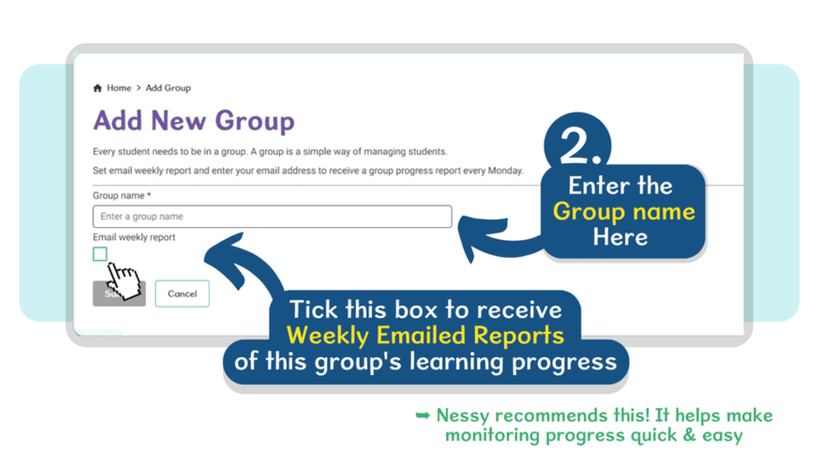
- Tick the box to receive weekly email reports of this group’s progress. This will help you monitor their learning journey.
- Once complete, select Submit.
For ‘How to Add Students to a Group’ please click here.