What Bulk Actions can I do?u003cbru003e
Our u003cstrongu003eBulk Actionsu003c/strongu003e feature allows you to quickly make changes for all of the students, or a selection of students, on your account. u003cbru003eThis includes allowing or removing program access, prompting the re-taking of assessments, or deleting multiple students.
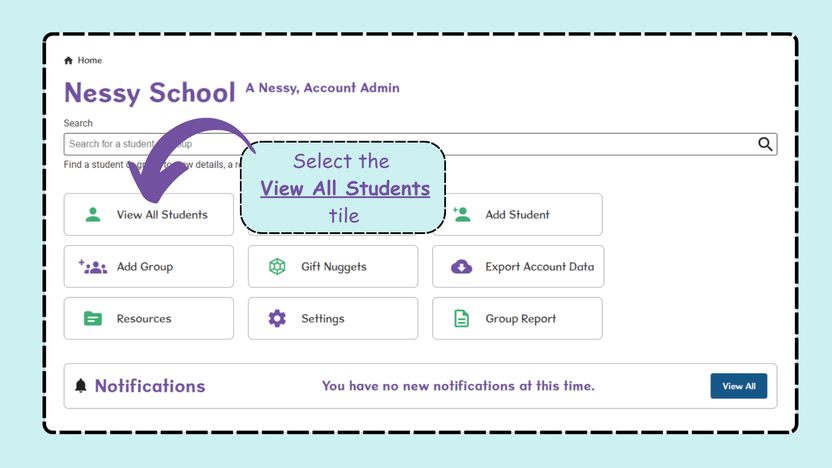
- From the Home screen, select View All Students.
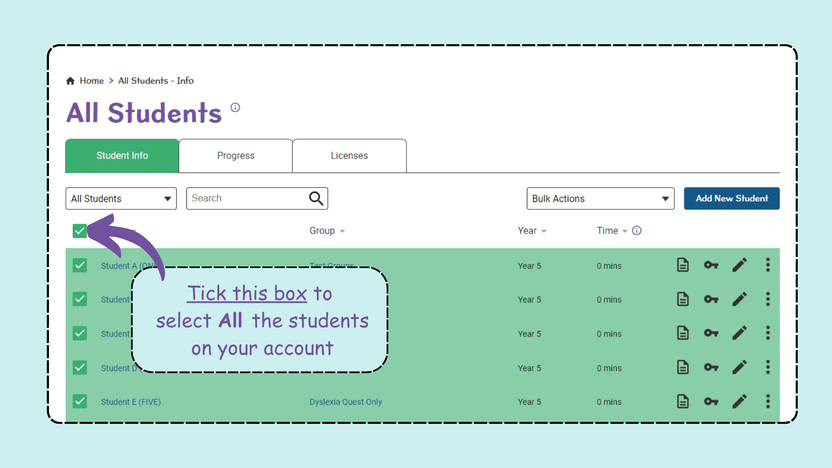
- To perform a Bulk Action for all students on the account, tick the box next to Name in the top left, which will highlight all students or To perform a Bulk Action for specific students, tick the boxes next to their names.
- From the Bulk Actions drop-down menu, scroll down and select the action you require.
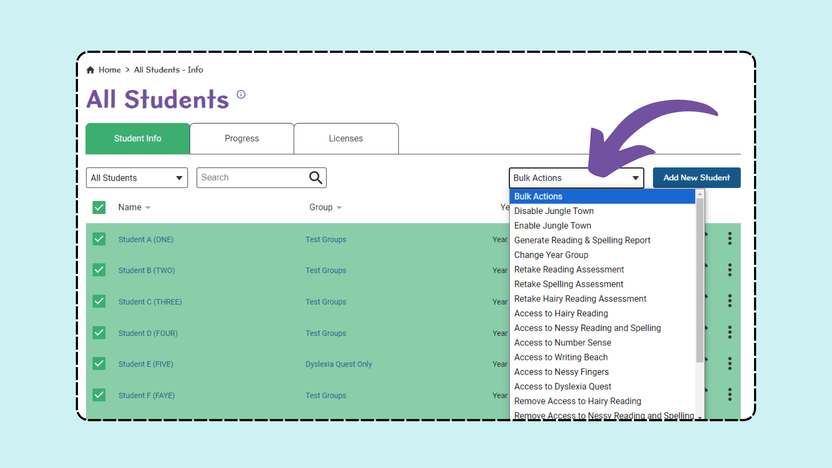
Please note: Depending on the action chosen, you may be required to select Submit to confirm your changes.