How do I gift nuggets to a student?u003cbru003e
How to gift nuggets to a student
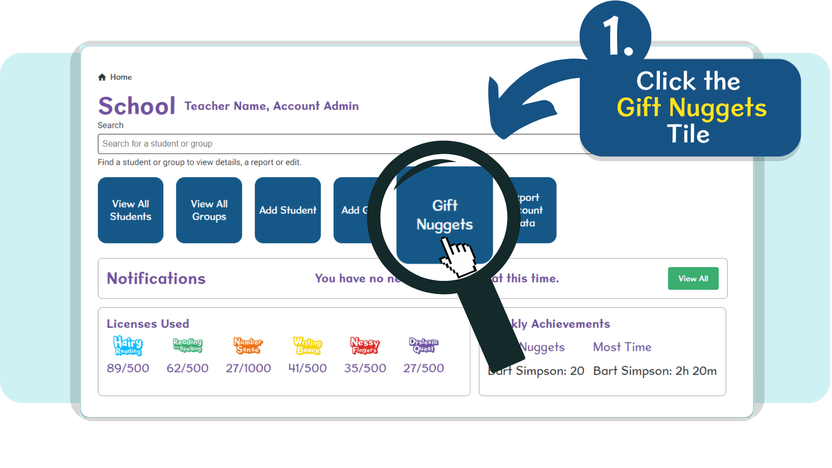
- From the Home screen, click the Gift nuggets tile in the Quick Access area
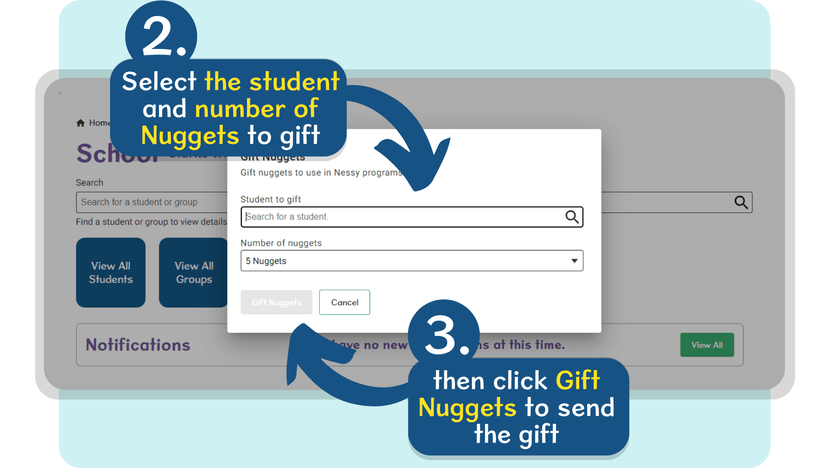
- Use the Search bar to locate the student you’d like to gift nuggets to, then use the drop-down menu to select how many nuggets you’d like to gift.
- Once confirmed, click the Gift nuggets button to send the gift to the chosen student.
You will see a notification message appear briefly on the bottom-left confirming the gift has been sent. Your student will receive a notification of their gifted nuggets when they next log in.