How do I change group settings?
Every student needs to be in a group. A group is a simple way of managing students.u003cbru003eYou can change the names of a group and enter your email address to receive a group progress report every Monday.
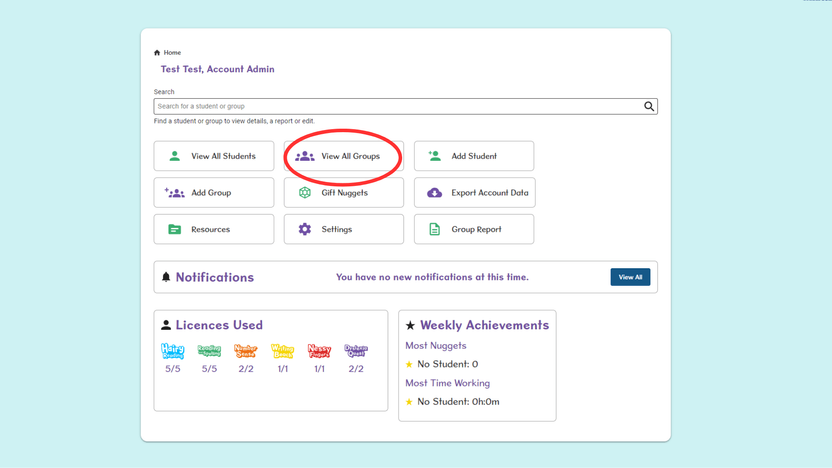
- Login to Classroom and from the Home page, select View All Groups.
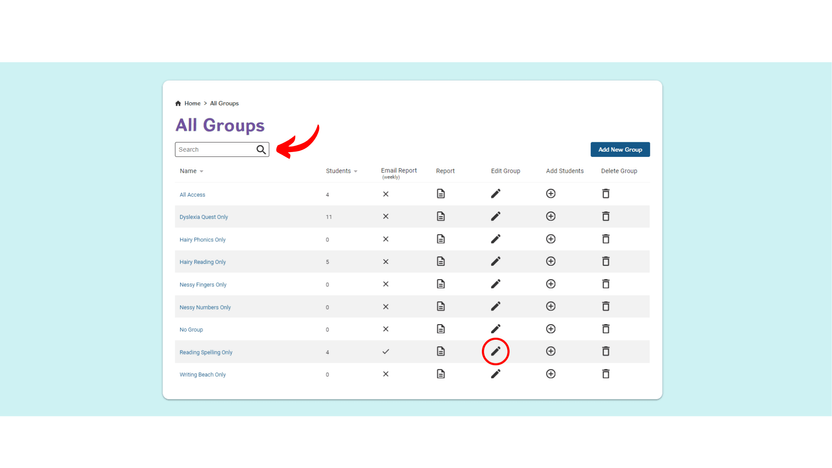
- Search for your group using the search bar, then select the Pencil icon in the Edit Group column.
- Tick the box to receive the ‘Email Weekly Report’. Then, select Add Email and insert the email address. To add additional addresses, select Add Email and repeat.
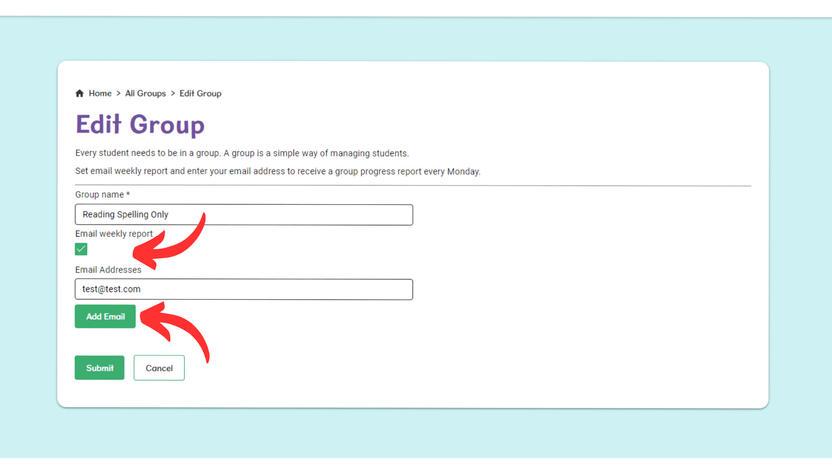
- Edit the group name or existing email addresses as required. Then select Submit to save your changes.